If you want to try Xero before paying — you’re in the right place.
Xero (xero.com) offers a free 30-day trial with no credit card required. No hidden charges during the trial — you won’t be billed unless you manually choose a paid plan. Over 3.7 million businesses use Xero worldwide, and the free trial is one of the most popular ways to get started.
After the trial, new customers can get up to 85% off (official Xero offer) — some affiliate partners may offer higher discounts. In this guide, I’ll show you exactly how the trial works, what you get, and how to claim the best available deal.
Quick answer: 30 days free, no credit card. After the trial, new US customers can get up to 85% off for 6 months — official offer expires 31 March 2026.
Xero Free Trial Key Facts:
- Trial length: 30 days free
- Credit card required: No
- Features available: Full access — not a limited demo
- No auto-charge after trial ends
- Best discount after trial: Up to 85% off for 6 months (new customers only)
- Available in: US, UK, Australia, New Zealand, Canada, and more
What Is the Xero Free Trial?
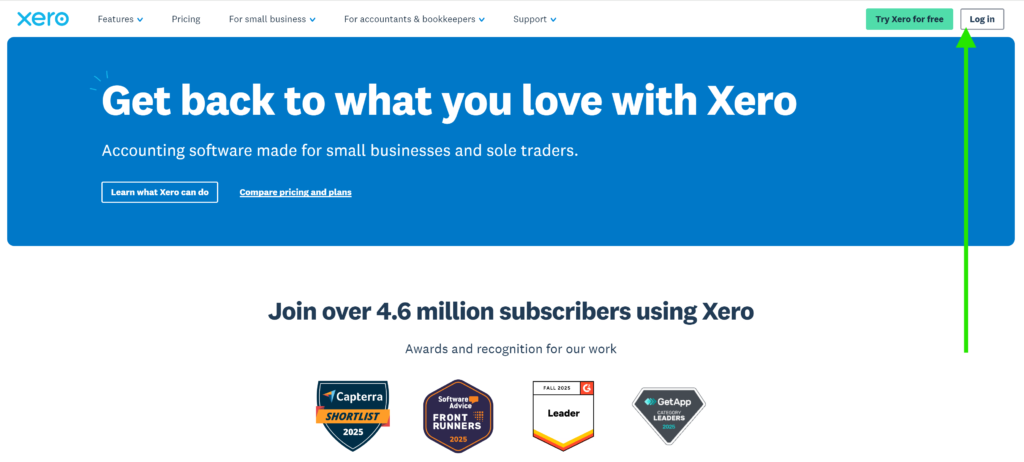
Xero (xero.com) is cloud-based accounting software built for small and medium-sized businesses. It covers invoicing, bank reconciliation, expense tracking, cash flow reporting, and more — all from one place.
The free trial gives you 30 days of full access. You’re not using a demo or a stripped-down version. Everything a paying subscriber can do, you can do during the trial.
We’ve tested Xero across freelancers and small businesses to check how the trial works in practice. It’s genuinely unrestricted, easy to set up, and there are no hidden charges — you won’t be billed unless you manually subscribe after the trial ends.
Xero is billed monthly with no long-term contracts, so even after subscribing you can cancel any time.
See also: Xero Pricing Plans 2026 — Full Breakdown
What Do You Get During the 30-Day Free Trial?
During the trial you get full access to all of Xero’s core features. Here’s what you can test:
| Feature | Available in Trial |
|---|---|
| Send invoices and quotes | ✓ |
| Enter and track bills | ✓ |
| Bank reconciliation | ✓ |
| Hubdoc receipt capture | ✓ |
| Cash flow dashboard | ✓ |
| Financial reports | ✓ |
| W-9 + 1099 management (US) | ✓ |
| Sales tax tools | ✓ |
| Mobile app access | ✓ |
| 1,000+ app integrations | ✓ |
| Payroll (Gusto add-on) | Separate cost |
| Unlimited users | ✓ |
The trial is available globally — US, UK, Australia, New Zealand, Canada, and most other regions where Xero operates.
How to Start the Xero Free Trial — Step by Step
Starting the trial takes less than 5 minutes.
Step 1: Click the link below to go to Xero’s trial page
Step 2: Enter your name, email address, business name, and country
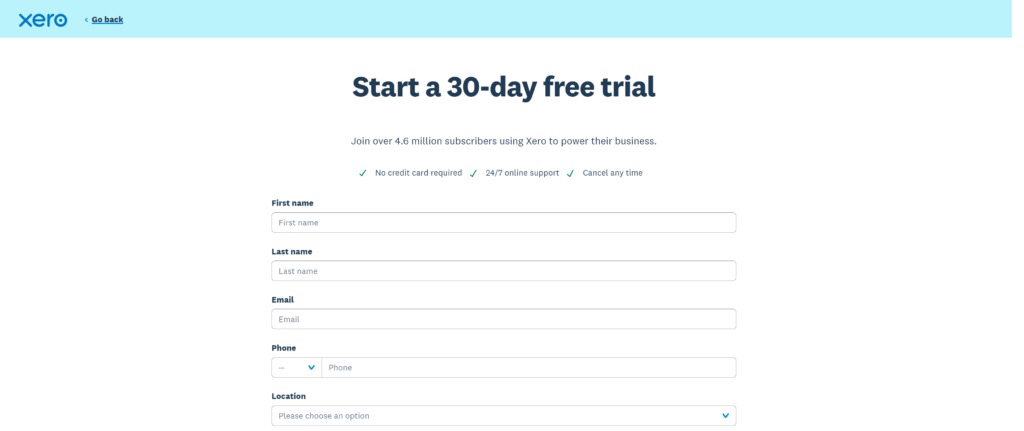
Step 3: Verify your email — check your inbox and click the confirmation link

Step 4: Create a password and fill in your remaining business details and activate your account.
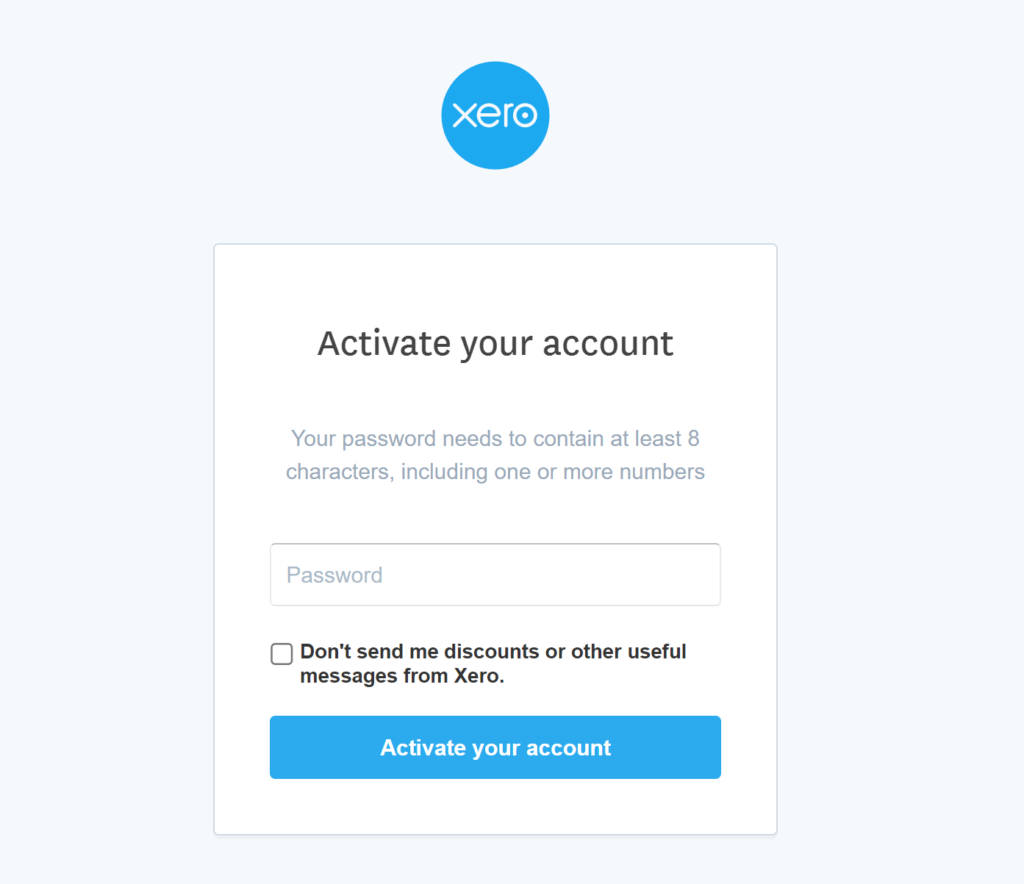
Step 5: Your 30-day free trial starts immediately — you’ll see demo company and you can create your organization.
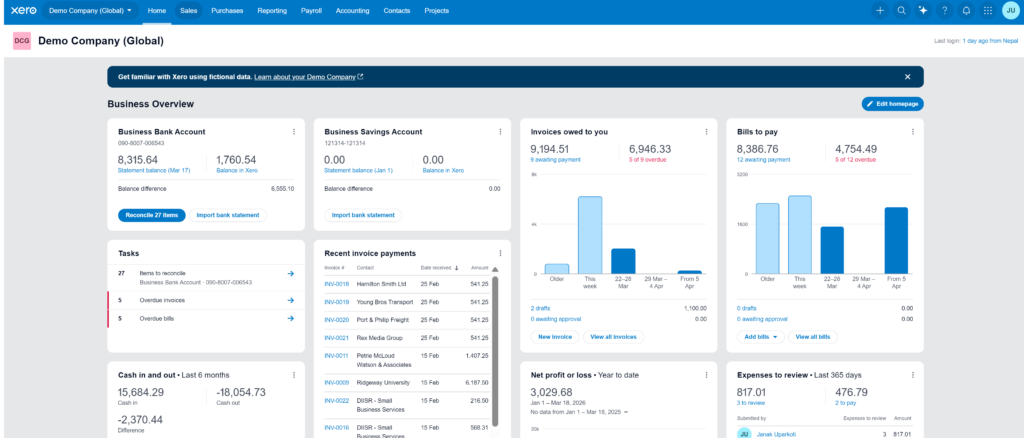
That’s it. No credit card is asked for during the signup process.
What Happens After the 30-Day Trial?
When your 30-day trial ends, your access stops unless you choose a paid plan. Your data is saved, so nothing is lost if you decide to subscribe later.
You have two options at the end of the trial:
Option 1: Subscribe to a paid plan Choose Early, Growing, or Established depending on your business needs. New customers can access a significant discount on their first 6 months.
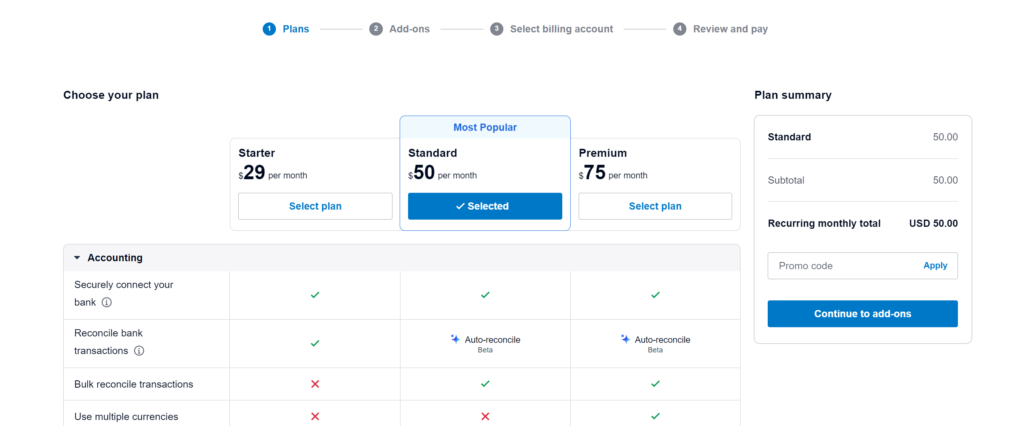
Option 2: Walk away If Xero isn’t right for you, simply don’t subscribe. There’s no charge and no obligation.
Important: Xero does not auto-charge you at the end of the free trial. You have to actively choose a plan and enter payment details to continue.
The Xero Discount After the Trial: Up to 90% Off for 6 Months
This is the part most people care about.
After your free trial ends, you’ll need to choose a paid plan to keep using Xero. At that point, a promotional discount may be available, depending on current offers and your region.
Here’s what’s currently available:
Current verified US offer (March 2026):
- 90% off for the first 6 months — confirmed on xero.com for new US customers
- Expires: 11:59pm PDT, 31 March 2026
Via partners (including this page):
- Higher discounts may sometimes be available through partner links
- The exact discount is shown at checkout before you confirm
- Applies to Early, Growing, and Established base plans
Important notes on the discount:
- Discounts are not guaranteed after the trial — they depend on active promotions at the time you subscribe
- New customers only — existing Xero users are not eligible
- One organization per account
- Cannot be combined with other offers or promo codes
- Does not apply to payroll (via Gusto), payment processing fees, or add-ons
- After 6 months, regular pricing resumes and the subscription auto-renews monthly
How to Unlock the Xero Discount

Getting the discount is straightforward. Here’s how to do it:
- Click the discount link on this page — the discount is pre-attached to the link
- Sign up for a new Xero account (or start with the free trial first)
- Choose your plan — Early, Growing, or Established
- At checkout, confirm the discounted price is showing before you enter payment details
- Complete signup — the discounted rate applies immediately to your first 6 months
The discount is applied automatically. You do not need to enter a promo code manually if you use the link below.
How Much Does Xero Cost After the Discount
Here’s what you’d pay during the discounted period vs regular pricing:
| Plan | Regular Price | With 85% Off | You Save |
|---|---|---|---|
| Early | $25/mo | $3.75/mo | $127.50 over 6 months |
| Growing | $55/mo | $8.25/mo | $280.50 over 6 months |
| Established | $90/mo | $13.50/mo | $459 over 6 months |
After 6 months the regular price applies automatically. Set a calendar reminder so you’re not surprised when billing changes.
Can You Use the Discount AND the Free Trial?
Yes — but they are two separate offers and cannot be combined at the same time. Here’s how it works:
- Start with the free trial – 30 days of full access with no credit card or payment details required.
- Apply the discount after the trial – when you subscribe to a paid plan, the promotional discount (like 85% off) applies to your first 6 months.
In other words: 30 days free + 6 months discounted = roughly 7 months of Xero at a very low cost.
💡 Tip: If you’re already sure Xero is right for your business, you can skip the trial and go straight to a paid plan with the discount applied immediately. This can sometimes save you time and money since the discount period starts right away.
Which Plan Should You Choose After the Trial?
Here’s a simple guide:
Choose Early ($25/mo) if:
- You send fewer than 20 invoices per month
- You’re a freelancer or just starting out
- You want the lowest possible entry cost
Choose Growing ($55/mo) if:
- You need unlimited invoices and bills
- You have regular suppliers to manage
- You want dashboards and financial reports
Choose Established ($90/mo) if:
- You deal in multiple currencies
- Staff need to submit expense claims
- You track project costs
Best plan for most users: Growing — $55/mo (or $5.50–$8.25/mo with the current discount)
What Features Can You Test During the Trial?
Here’s what to focus on during your 30 days to make the best decision:
Test 1: Send a real invoice Create and send an invoice to a client. See how it looks, how payment links work, and how the system tracks whether it’s been paid.
Test 2: Connect your bank account Link your business bank account. Watch how Xero imports transactions and suggests matches. This is where Xero saves the most time day-to-day.
Test 3: Run a financial report Go to Reports and pull a Profit & Loss statement. This shows you how clean and readable Xero’s reporting is.
Test 4: Check the mobile app Download the Xero app and try sending an invoice or capturing a receipt. If you work on the go, this matters.
Test 5: Check your plan limits On the Early plan trial, note the 20-invoice and 5-bill limits. If you’re likely to exceed these, you’ll know to start on Growing instead.
Trial Limitations — Important to Know
The trial is generous but there are a few things worth knowing upfront:
- 30 days only — no extensions. The trial ends automatically after 30 days
- Plan-dependent features after trial — during the trial you can explore everything, but once you subscribe, you only keep what your chosen plan includes. Multi-currency and expense claims are Established-only
- Payroll is not included — payroll in the US requires Gusto (gusto.com), which is a separate paid subscription on top of any Xero plan
- You must subscribe to keep access — when the trial ends your account is paused. Your data is saved, but you can’t use the software until you choose a paid plan
- Discount is for new customers only — if you’ve had a Xero account before, the post-trial discount does not apply
Xero Free Trial vs Competitor Trials
How does the Xero trial compare to other accounting software options?
| Software | Free Trial | Discount After Trial |
|---|---|---|
| Xero | 30 days, no credit card | Up to 85% off for 6 months |
| QuickBooks Online | 30 days | Up to 50% off for 3 months |
| FreshBooks | 30 days, no credit card | Varies by region |
| Wave Accounting | Free forever (limited) | N/A |
| Zoho Books | 14 days | Varies |
Xero offers one of the longer post-trial discounts available. QuickBooks Online‘s discount is shorter and smaller. Wave is permanently free but has far fewer features for growing businesses.
Who Is the Xero Free Trial Best For?
The trial is a good fit if you’re in any of these situations:
- You’re currently doing bookkeeping manually or in spreadsheets and want to see if Xero is worth switching to
- You’ve been recommended Xero by your accountant and want to check it yourself first
- You’re switching from another accounting tool like QuickBooks Online or MYOB and want to compare
- You’re a new business just getting started and want to try before committing to a monthly cost
- You’re an accountant or bookkeeper evaluating Xero for a client
Who Should Skip the Trial
The trial is not useful if:
- You already know you want Xero — go straight to a paid plan with the discount applied
- You only need basic invoicing — Wave Accounting is permanently free and may be enough
- You need built-in payroll in the US — Xero requires Gusto as a separate paid add-on regardless of your plan
Final Verdict: Is the Xero Free Trial Worth It?
Yes — the Xero free trial is one of the most generous in the accounting software space. You get full access for 30 days with no credit card and no risk.
If you’re considering Xero, there’s no reason not to start with the trial. Spend the first week setting up your invoicing and connecting your bank. By day 14 you’ll know whether it fits the way you work.
And if you decide to subscribe, the current discount makes the first 6 months very affordable — especially on the Growing plan, which is the right choice for most small businesses.
We’ve used Xero across multiple business setups and consistently found the onboarding experience straightforward and the day-to-day interface easy to use.
Frequently Asked Question
Does the Xero free trial require a credit card?
No. You can start the 30-day free trial with just your email address and business details. No payment information is needed.
Does Xero auto-charge after the free trial ends?
No. Xero does not charge you automatically when the trial ends. You have to actively choose a paid plan and enter payment details to continue.
Can I use the discount AND the free trial?
Yes. Start the free trial first, then apply the discount when you choose your paid plan after the trial ends. Or skip the trial and go straight to a paid plan with the discount applied from day one.
How long is the Xero free trial?
30 days. The clock starts when you activate your account by setting a password and adding your business details.
What happens to my data after the trial?
Your data is saved even after the trial ends. If you subscribe later, everything you set up during the trial will still be there.
Is the Xero free trial available in my country?
Yes — the trial is available in the US, UK, Australia, New Zealand, Canada, and most other countries where Xero operates.
Can I switch plans during or after the trial?
Yes. You can start on any plan and upgrade at any time. To downgrade, you need to wait 1 month after upgrading first.
Is there a 90% discount available on Xero?
The confirmed offer on Xero’s official US page is 85% off for 6 months, valid until 31 March 2026. Some affiliate partners may advertise a higher discount. Always check the amount shown at checkout before you confirm — the discount is applied automatically and clearly displayed.
Can existing Xero customers get the discount?
No. The introductory discount is for new customers only. It applies to accounts that have not previously subscribed to a paid Xero plan