Quick answer: Yes — for most small businesses, Xero is the right call. Unlimited users, solid integrations, and it actually makes sense to use. That said, it’s not perfect, and I’ll tell you exactly where it falls short.
I’ve tested a lot of accounting tools over the years — QuickBooks Online, Wave, Zoho Books, and more. Xero keeps coming out on top for me, not because it’s flawless, but because it solves the problems that actually matter for small businesses.
If you’re still running your books on spreadsheets or fighting with software that takes three hours to figure out, this review is for you.
Most clients I work with start saving time within the first week or two of switching.
Overall Rating: 4.5 / 5
| Factor | Rating |
|---|---|
| Ease of Use | ⭐⭐⭐⭐⭐ 5/5 |
| Features | ⭐⭐⭐⭐ 4/5 |
| Pricing | ⭐⭐⭐⭐ 4/5 |
| Integrations | ⭐⭐⭐⭐⭐ 5/5 |
| Customer Support | ⭐⭐⭐ 3/5 |
| Mobile App | ⭐⭐⭐⭐ 4/5 |
Pros & Cons
What I like:
- Unlimited users on every plan — no extra charge
- Easy enough that non-accountants actually use it
- 1,000+ integrations via the Xero App Store
- Bank reconciliation that saves real hours every week
- Strong multi-currency support on the Established plan
- 30-day free trial, no credit card required
What I don’t like:
- No phone support — email only, which gets frustrating fast
- Early plan invoice limits are too tight for most growing businesses
- US payroll requires Gusto, which costs extra
- Prices have gone up a lot over the years
- Accounts payable is weaker than some competitors
1. Who Am I and Why Trust This Review?
My name is Sarmila. I’ve been working with accounting software for over 7 years — and Xero has been my main tool for most of that time.
I’m a Xero-certified advisor, which means I’ve completed Xero’s official training and assessment. I’ve set up Xero for solo freelancers, small retail shops, ecommerce stores, and service businesses with 10+ employees. I’ve migrated businesses from QuickBooks Online to Xero, and I’ve troubleshot issues you won’t find in any help article.
This isn’t a quick test review. I use Xero daily. I know where it saves you time and where it’ll frustrate you.
Affiliate Disclosure: This page contains affiliate links. If you sign up through links here, I may earn a small commission at no extra cost to you. I only recommend tools I use and stand behind. You’ll be redirected to Xero’s official website to complete your signup.
2. What Is Xero?
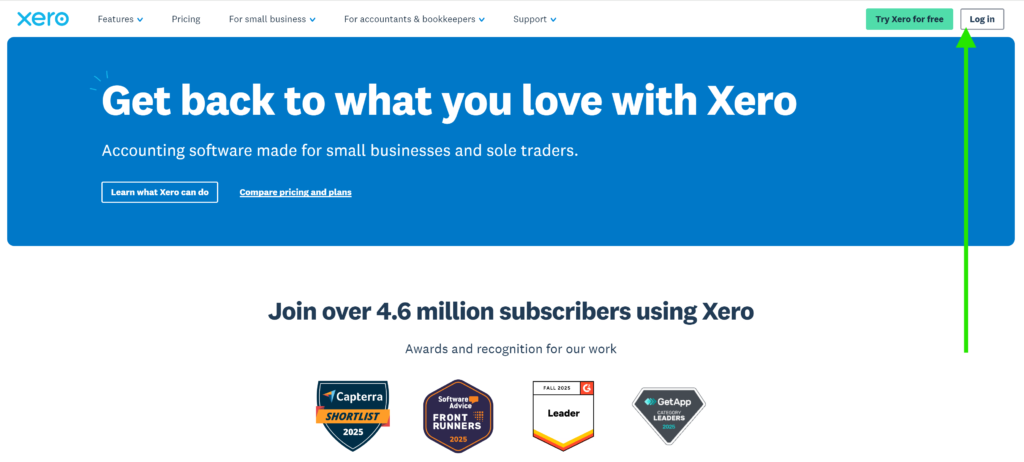
Xero is cloud-based accounting software built for small and medium-sized businesses. It was founded in Wellington, New Zealand in 2006 by Rod Drury and Hamish Edwards — originally called “Accounting 2.0.” Today it has over 4.6 million subscribers across more than 180 countries.
In the US, it mainly competes with QuickBooks Online. At the lower end, it goes up against Zoho Books, FreshBooks, and Wave.
In practical terms, Xero lets you:
- Send invoices and get paid faster
- Track income and expenses in one place
- Connect your bank and reconcile transactions automatically
- Run payroll via Gusto (US) or built-in payroll (AU, UK, NZ)
- Pull financial reports in real time
- Work with your accountant or bookkeeper online
Everything is in the cloud. Any device, anywhere.
3. Xero Plans and Pricing in 2026

Xero has three main plans for US customers. Here are the standard monthly rates:
⚠️ Pricing note: Xero pricing changes regularly and varies by country. Always verify current pricing at Xero’s official website before subscribing.
- Early$3.75Per MonthBest for: Freelancers, sole traders, new businesses✓ Up to 20 invoices/quotes per month✓ Up to 5 bills per month✓ Bank reconciliation✓ Hubdoc (receipt capture)✓ W-9 + 1099 management✓ Sales tax✓ 30-day cash flow forecast✓ Basic performance graphs✗ Unlimited invoices/bills✗ Custom dashboards✗ Multi-currency
- Growing$8.25Per MonthBest for: Growing small businesses with regular transactions✓ Unlimited invoices and quotes✓ Unlimited bills✓ Auto-reconcile (Beta)✓ Hubdoc included✓ W-9 + 1099 management✓ Custom performance dashboards✓ Financial health scorecards✓ 30-day cash flow forecast✗ Multi-currency✗ Expense claims✗ Project trackingPOPULAR
- Established$13.50Per MonthBest for: Scaling businesses, global teams, agencies✓ Everything in Growing✓ Multi-currency transactions✓ Expense claims✓ Project tracking✓ KPI analysis and ratios✓ 180-day cash flow forecast✓ Auto-reconcile (Beta)✓ Advanced analytics✓ Inventory Plus (optional add-on)
Early Plan — $25/month
- Up to 20 invoices per month
- Up to 5 bills per month
- Bank reconciliation
- Hubdoc receipt capture
- Short-term cash flow dashboard
Honest take: These limits bite faster than you’d expect. Most businesses I work with are looking at the Growing plan within a few months.
Growing Plan — $55/month
- Unlimited invoices and quotes
- Unlimited bills
- Bank reconciliation
- Hubdoc receipt capture
This is where most small businesses land. No annoying caps — just the core features working as they should.
Established Plan — $90/month
- Everything in Growing
- Multi-currency support (160+ currencies)
- Expense claims management
- Project tracking and time billing
- Analytics Plus (advanced reporting)
Worth it if you invoice international clients, track project costs, or manage team expenses.
Current Promotions (March 2026)
Xero regularly offers new users 50–90% off for the first 3–6 months, depending on region and timing. Every new account includes a 30-day free trial with no credit card required.
👉 Check the current offer on Xero’s official site.
4. Xero Features — What You Actually Get
Invoicing
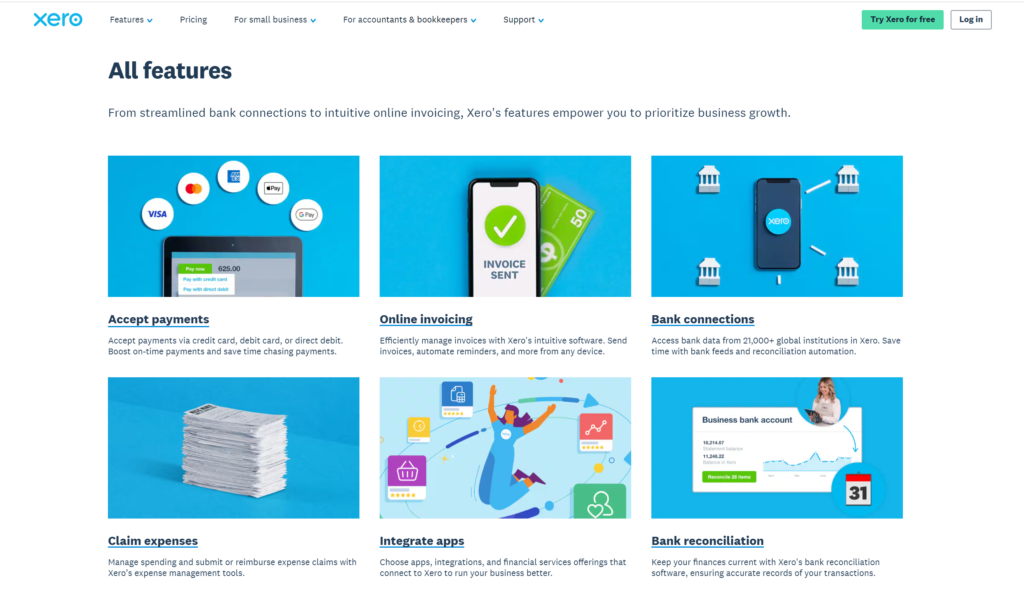
You can put together a clean, professional invoice in under 2 minutes — add your logo, set a due date, send it directly from Xero. Recurring invoices and automatic payment reminders are built in. That alone saves me a couple of hours every month across my client accounts. Xero accepts payments through Stripe, PayPal, and GoCardless directly from invoices.
Bank Reconciliation
This is where Xero is at its best. Connect your bank — Xero links to over 21,000 financial institutions globally — and it pulls in transactions automatically each day. It then suggests matches to your invoices or expenses. Over time, the suggestions get more accurate as it learns your patterns. What used to take me two hours per client per week now takes around 20 minutes.
Unlimited Users
Every plan, including the cheapest one, includes unlimited users at no extra cost. You can add your accountant, bookkeeper, business partner, and team members without touching your bill. QuickBooks Online charges you more as you add people. Xero doesn’t. For any business with more than one person involved in the finances, this matters.
Reporting
The standard reports are all there — Profit and Loss, Balance Sheet, Cash Flow, Aged Receivables and Payables, Budget vs Actual, and tax reports depending on your region. They update in real time. I’ve pulled live numbers mid-client meeting and made decisions on the spot.
Hubdoc — Receipt Capture
All plans include Hubdoc. Take a photo of a receipt, and it pulls the data into Xero automatically. It’s not perfect every time, but it removes most of the manual data entry for expenses.
Payroll (US)
Xero dropped its native US payroll and now relies on a Gusto integration. Gusto is a solid payroll platform, but it’s a separate subscription — starting at $40/month plus $6 per person. Worth knowing upfront. In Australia, UK, and New Zealand, payroll is built directly into Xero.
Integrations
Over 1,000 third-party apps connect through the Xero App Store. The ones I use most often with clients:
- Stripe and PayPal — payment collection
- Shopify — ecommerce syncing
- Gusto — US payroll
- HubSpot — CRM
- Hubdoc and Dext — receipt capture
- A2X — Amazon and Shopify reconciliation
- Deputy — workforce management (Xero strategic partner since 2024)
Mobile App
The iOS and Android app covers the basics well — sending invoices, scanning receipts, checking cash flow, approving expenses on the go. It’s not as capable as the desktop version, but it’s reliable for day-to-day use.
Security
Xero uses two-factor authentication, SOC 2 compliant encryption, role-based access controls, and a full audit trail. Every action in your account is logged.
5. What I Like About Xero
The dashboard makes sense immediately. I’ve handed Xero access to clients who’ve never touched accounting software. Most of them are comfortable within a week. Nothing important is buried three menus deep.
Bank reconciliation saves real time. Before Xero, some of my clients spent 2+ hours per week on manual reconciliation. Now it’s 20 minutes. That time saving alone often covers the subscription cost within the first week of each month.
Unlimited users is rare and genuinely useful. Most platforms charge you per seat. Xero doesn’t. I can give my client, their accountant, and a bookkeeper access — all at no added cost. For teams, this is a big deal.
Real-time data changes how you make decisions. Pulling up a live cash flow report mid-meeting and adjusting plans based on actual numbers — that only works when your data is current. Xero handles this reliably.
The integrations actually work. Shopify, Stripe, HubSpot, Gusto — I’ve connected all of these across client setups and they work the way they’re supposed to. Less manual entry every month.
The product keeps improving. Over 7 years I’ve watched features like short-term cash flow dashboards, Analytics Plus, better bank matching, and the Deputy partnership get added. Xero moves forward. Some competitors don’t.
6. What I Don’t Like About Xero
No phone support. Xero runs on email and their help center (Xero Central). There’s no standard phone line. When something breaks and you need a fast answer, waiting 24–48 hours for an email response is painful. This is the most common complaint I see on Reddit and Trustpilot, and it’s fair.
Early plan limits are too tight. 20 invoices and 5 bills per month sounds fine until your business picks up. Most clients I work with hit the ceiling faster than they expect and move to Growing anyway.
US payroll adds to the bill. Xero discontinued its own US payroll. US users need Gusto — $40/month plus $6 per person on top of the Xero subscription. Not a dealbreaker, but factor it in before committing.
Prices have gone up a lot. When I started with Xero the entry plan was $13/month. It’s now $25. That’s nearly double. SaaS prices go up — that’s normal — but Xero’s increases have been noticeable enough that long-time users notice and complain.
Accounts payable has gaps. For businesses with complex vendor payment workflows, Xero’s built-in AP tools may not be enough. Note: Xero announced a $2.5 billion acquisition of Melio in June 2025 to fix this — but it’s still being integrated.
7. Real Use Case — What Changed for My Client
One of my ecommerce clients runs a Shopify store with around 200 orders per month. Before Xero, their bookkeeper was manually entering transactions into spreadsheets — about 10 hours of reconciliation work every month.
After switching to Xero and connecting it with A2X (which syncs Shopify sales data into Xero automatically), monthly reconciliation dropped from 10 hours to under 2.
Eight hours saved every month. At a standard bookkeeper rate, Xero paid for itself in the first week of each month.
That kind of result doesn’t show up in a features list — but it’s what actually matters.
8. Xero vs QuickBooks Online (2026)
Both are strong platforms. The right pick depends on your situation.
| Feature | Xero | QuickBooks Online |
|---|---|---|
| Starting Price | $25/month | $35/month |
| Free Trial | 30 days | 30 days |
| Unlimited Users | ✅ All plans | ❌ Plan-dependent |
| Integrations | 1,000+ | 750+ |
| Ease of Use | Very easy | Moderate |
| US Payroll | Via Gusto (extra cost) | Built-in (some plans) |
| Multi-Currency | Established plan | Advanced plan |
| Phone Support | ❌ No | ✅ Yes |
| Bank Connections | 21,000+ global | Strong US focus |
| Best For | Teams, global businesses | US-focused, payroll-heavy |
Choose Xero if you have a team (unlimited users adds up fast), you work with international clients, or you want a cleaner interface.
Choose QuickBooks Online if you need US payroll built in, you want phone support, or your accountant specifically works in QBO.
9. Xero Alternatives in 2026
QuickBooks Online — Best for US-focused businesses that need strong built-in payroll and local accountant support. More expensive for teams. Starts at $35/month.
Wave — Best for freelancers or very small businesses who want free software. Invoicing and accounting are free; payments and payroll cost extra. Good starting point if budget is the main concern.
Zoho Books — Best for businesses already using other Zoho tools (CRM, Projects, etc.). Strong features at a lower price than Xero.
FreshBooks — Best for freelancers and service businesses focused on time tracking and client invoicing. Simpler than Xero, but you’ll feel the limits as your business grows.
10. Who Is Xero Best For?
- Freelancers and solopreneurs who need clean invoicing and expense tracking
- Small business owners with a team who can’t afford per-user pricing
- Growing businesses that want software that scales without a platform switch
- Accountants and bookkeepers managing multiple client accounts
- Businesses with international clients that need multi-currency support
- Anyone moving away from spreadsheets for the first time
11. Who Should NOT Use Xero?
- You send 1–2 invoices per month and want something completely free (try Wave)
- You need advanced built-in inventory management (look at QuickBooks or DEAR Inventory)
- You’re a large enterprise with complex ERP needs (look at NetSuite or SAP)
- You need US payroll built directly into your accounting platform — no third-party add-on
- Phone support is non-negotiable for you
12. How to Get Xero Free Trial + Best Discount
Step 1: Start the 30-day free trial — no credit card required. You get full access to all features.
Step 2: Use the trial for real. Connect your bank, send an actual invoice, run a report. You’ll know within a week if it works for you.
Step 3: When you’re ready to subscribe, check for the current promotional offer. Xero runs discounts of 50–90% off for new users depending on region and timing.
👉 Check the current offer on Xero’s official site. No credit card required for the free trial.
13. Final Verdict — Is Xero Worth It in 2026?
Yes. After 7 years of daily use with real clients, I still recommend it to most small business owners I work with.
It’s not the cheapest option. Support is slow. Early plan limits are frustrating. US payroll costs extra. I’m not going to pretend otherwise.
But Xero is reliable, easy to use, and keeps getting better. And the unlimited users policy alone makes it better value than most competitors the moment you have more than one person touching your books.
The 30-day free trial means you can test everything before paying a cent.
My rating: 4.5 out of 5 ⭐⭐⭐⭐½
👉 Start Your Free Xero Trial → You will be redirected to Xero’s official website.
14. Frequently Asked Questions
Is Xero free?
No. There’s a 30-day free trial with no credit card required. After that, paid plans start at $25/month. Xero regularly runs promotional pricing for new subscribers.
How much does Xero cost in 2026?
Standard US pricing: Early $25/month, Growing $55/month, Established $90/month. Pricing varies by country and changes. Xero frequently offers 50–90% off promotions for new users.
Is Xero good for beginners?
Yes. It’s one of the easier accounting platforms to pick up. Most new users are comfortable within their first week.
Can I cancel Xero anytime?
Yes. Month-to-month subscriptions, no annual lock-in. Cancel whenever you want.
Does Xero work for US businesses?
Yes. Xero supports US tax requirements including W-9, 1099 management, and sales tax tracking. Payroll runs through Gusto.
How does Xero compare to QuickBooks Online in 2026?
Xero is easier to use and better value for teams — unlimited users on every plan. QuickBooks Online has stronger built-in US payroll and phone support. For international work and team pricing, Xero wins.
Is my data safe in Xero?
Yes. SOC 2 compliant, two-factor authentication, role-based access controls, and a complete audit trail.
Does Xero have phone support?
No standard phone support. Support runs through email and the Xero Central help center. This is one of the most common complaints from long-term users.
What happened to Xero’s US payroll?
Xero discontinued its native US payroll. US customers now use Gusto — a separate paid integration starting at $40/month plus $6 per person.